

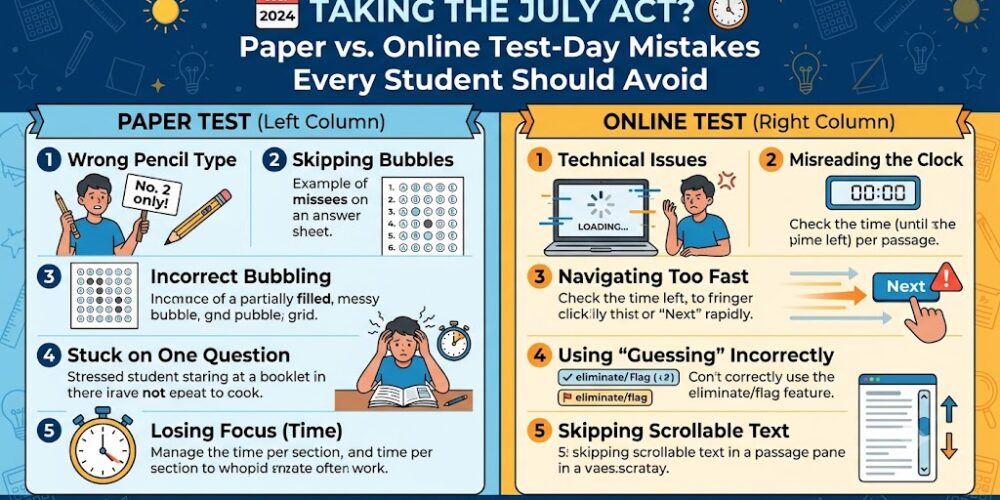
Taking the July ACT? Paper vs. Online Test-Day Mistakes Every Student Should Avoid
Taking the July ACT? You are stepping into a completely new era of testing.
With the launch of the Enhanced ACT format, the test is a completely different beast than it was a couple of years ago. It’s significantly shorter (just over 2 hours for the core sections), features fewer questions, grants more time per question, has only 4 answer choices for Math, and features a completely optional Science section.
But here is what hasn’t changed: you still get to choose between the Paper-and-Pencil test or the Online (Digital) format.
While the content on both formats is exactly the same, the test-day experience is night and day. If you don’t adjust your strategy to match your specific medium, you run the risk of committing critical mistakes that could tank your composite score.
Avoid these critical paper and digital pitfalls to protect your score this July.
? The Top 3 Paper-and-Pencil Test Mistakes
If you opted for the classic paper format, you are likely someone who loves the tactile feel of a test booklet. But traditional testing comes with traditional traps.
- The “Page-by-Page” Bubbling Trap
Nothing is worse than realizing you are one bubble off on your Scantron sheet halfway through the Reading section.
- The Mistake: Bubbling in your answer sheet after every single question. This breaks your cognitive focus, fracturing your momentum and wasting precious seconds as your eyes constantly dart back and forth from booklet to sheet.
- The Fix: Bubble by page or by passage. Solve all the questions on a two-page spread or within a specific passage inside your booklet first, circling your answers directly on the paper. Then, transfer that block of answers over to the Scantron all at once.
- Losing Track of the Wall Clock
Unlike the digital version, the paper ACT does not have a ticking countdown clock on your desk.
- The Mistake: Relying entirely on the proctor to give you a 5-minute warning. If the room clock is behind you, or if you lose track of time during a dense reading passage, you could easily run out of time with blank bubbles left over.
- The Fix: Bring a silent, non-smart watch to the test center. The moment the proctor says “you may begin,” set your watch exactly to 12:00. This makes it incredibly easy to track your pacing (e.g., knowing you need to finish the Math section by 12:50).
- Under-utilizing the Booklet
- The Mistake: Treating the test booklet like a pristine library book.
- The Fix: Scribble everywhere! Because you cannot use separate scratch paper on the paper exam, your booklet is your scratch pad. Cross out wrong answers physically to reduce your cognitive load, underline transition words in English, and map out your geometry shapes directly next to the questions.
? The Top 3 Online (Digital) Test Mistakes
The digital ACT is incredibly streamlined, but it demands an entirely different type of mental stamina. Do not treat it like a regular high school assignment on your laptop.
- Forgetting to Bring Your Own Scratch Paper
- The Mistake: Assuming the test center will automatically hand you an endless supply of scratch paper, or worse, trying to do algebra in your head because you don’t want to look down.
- The Fix: While test centers are instructed to provide scratch paper for digital testers, policies can sometimes feel inconsistent on-site. Bring your own clean scratch paper just in case, and utilize it actively. For the digital test, your workspace is split between the screen and your desk—train your eyes to transition smoothly between the two during your practice runs.
- Under-utilizing Built-In Tools (Like Answer Masking)
The online ACT interface includes a robust toolbar designed to save you mental energy, yet many students completely ignore it.
- The Mistake: Staring at all four digital answer choices simultaneously, which leads to visual fatigue and second-guessing.
- The Fix: Use the Answer Eliminator [X] and Answer Masking features. If you know option A and B are completely wrong, mask them entirely. This keeps your screen uncluttered, allowing your brain to focus 100% of its processing power on the remaining viable choices.
- Panic over “Disjointed Timing”
- The Mistake: Getting distracted by other students in the room.
- The Fix: On the digital ACT, timing is completely individualized. The built-in countdown timer on your screen manages your specific test. Because students log in and start clicking at slightly different moments, the person next to you might finish their English section while you still have two minutes left. Put your blinders on. Trust your screen’s timer and ignore the physical shifting or typing sounds around you.
? Paper vs. Digital: Quick Reference
Before you pack your bag for test day, review how your specific format impacts your strategy:
Crucial Reminder: You cannot change your mind on test day! The ACT administration locks in your testing format prior to the late registration deadline. Whichever format you chose, make sure your final practice tests match that exact medium.